
Step-by-Step Guide: Migrate a ChatGPT Custom GPT to Claude
A practical migration checklist for preserving instructions, knowledge, workflows, and integrations when rebuilding a custom GPT in Claude.
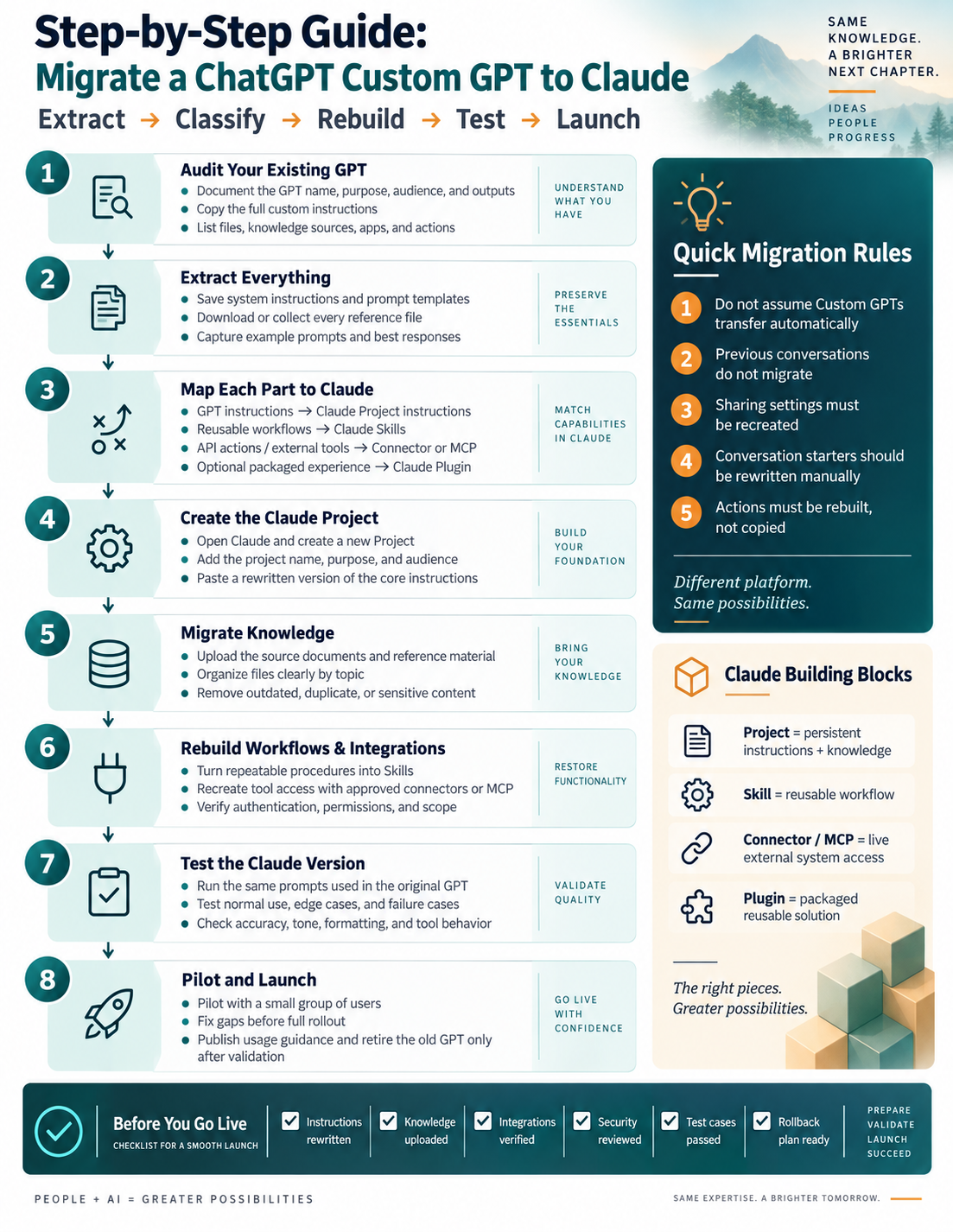
How do you migrate a custom GPT to Claude?
Audit the existing GPT, extract its instructions and reference material, map each part to Claude, rebuild the workflows and integrations, then test before launching. This guide describes a rebuild, not an automatic transfer; available features depend on your account and current platform support.
1. Audit your existing GPT
Document the GPT name, purpose, audience, and outputs. Copy the full instructions and list files, knowledge sources, apps, and actions.
2. Extract everything
Save system instructions and prompt templates. Download or collect every reference file. Capture example prompts and best responses.
3. Map each part to Claude
Map GPT instructions to Claude Project instructions, reusable workflows to Claude Skills, and API actions or external tools to a connector or MCP. An optional packaged experience can become a Claude Plugin where supported.
4. Create the Claude Project
Open Claude and create a new Project. Add its name, purpose, and audience, then paste a rewritten version of the core instructions.
5. Migrate knowledge
Upload source documents and reference material. Organize files clearly by topic and remove outdated, duplicate, or sensitive content.
6. Rebuild workflows and integrations
Turn repeatable procedures into Skills. Recreate tool access with approved connectors or MCP and verify authentication, permissions, and scope.
7. Test the Claude version
Run the same prompts used in the original GPT. Test normal use, edge cases, and failure cases. Check accuracy, tone, formatting, and tool behavior.
8. Pilot and launch
Pilot with a small group of users and fix gaps before full rollout. Publish usage guidance and retire the old GPT only after validation.
What does not transfer automatically?
Do not assume custom GPTs transfer automatically. Previous conversations do not migrate, sharing settings must be recreated, conversation starters should be rewritten manually, and actions must be rebuilt rather than copied.
Before you go live
Confirm instructions are rewritten, knowledge is uploaded, integrations are verified, security is reviewed, test cases have passed, and a rollback plan is ready.
Written by Michael Hammond, founder of NexLevel Advisors and host of the Fintech Hunting Podcast.