
How to Migrate Custom GPTs to Plugins
A one-page playbook for preserving AI instructions, knowledge, workflows, integrations, and user access, with a seven-step process and critical validation checks.
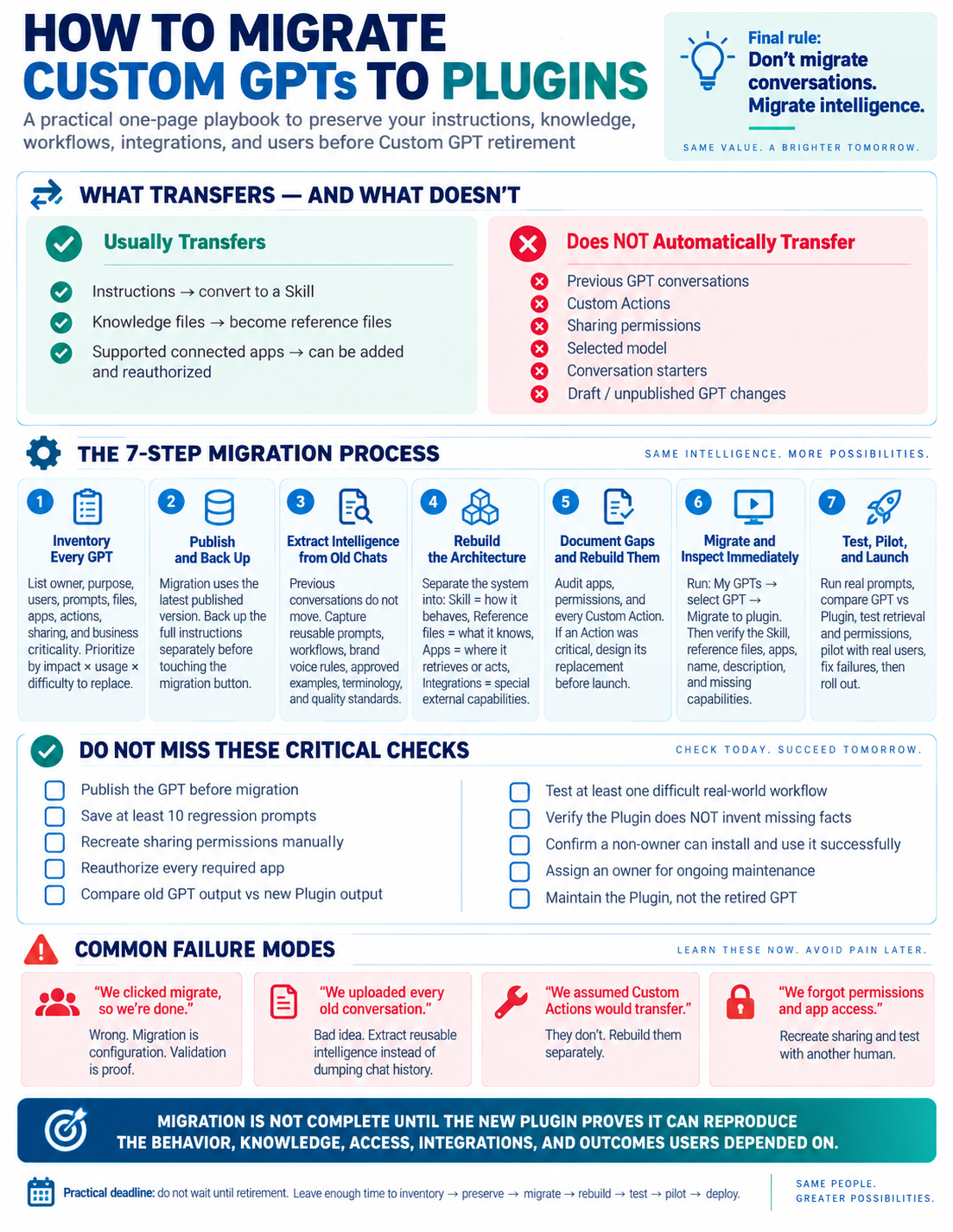
What should you preserve when migrating custom GPTs to plugins?
Preserve the behavior, knowledge, access, integrations, and outcomes users depend on—not a collection of old conversations. This uploaded playbook describes a migration workflow; confirm current product availability and supported migration options in your account before proceeding.
What transfers—and what does not?
Instructions can be converted into a Skill, knowledge files can become reference files, and supported connected apps can be added and reauthorized. Previous GPT conversations, Custom Actions, sharing permissions, selected models, conversation starters, and draft or unpublished GPT changes do not automatically transfer.
1. Inventory every GPT
List its owner, purpose, users, prompts, files, apps, actions, sharing, and business criticality. Prioritize by impact and difficulty to replace.
2. Publish and back up
The playbook advises using the latest published version for migration. Back up the full instructions separately before touching a migration button, where one is available.
3. Extract intelligence from old chats
Capture reusable prompts, workflows, brand voice rules, approved examples, terminology, and quality standards instead of uploading entire conversations.
4. Rebuild the architecture
Separate behavior into Skills, reference material into files, connected services into apps, and specialized external capabilities into integrations.
5. Document gaps and rebuild them
Audit apps, permissions, and every Custom Action. When an Action has been critical to the workflow, design its replacement before launch.
6. Migrate and inspect immediately
Where the product offers migration, inspect the resulting Skill, reference files, apps, name, description, and missing capabilities immediately afterward. Do not treat a migration button as proof that the workflow is complete.
7. Test, pilot, and launch
Run real prompts and compare the original GPT with the new Plugin. Test retrieval and permissions, pilot with real users, fix failures, and then roll out.
Which checks are essential before launch?
Save at least 10 regression prompts. Recreate sharing permissions manually and reauthorize every required app. Compare old and new outputs, test a difficult real-world workflow, verify the Plugin does not invent missing facts, and confirm a non-owner can install and use it successfully. Assign an owner for maintenance and maintain the replacement rather than the retired GPT.
What are the common failure modes?
Clicking migrate is not proof of completion. Uploading every old conversation obscures reusable intelligence. Assuming Custom Actions transfer leaves broken workflows. Forgetting permissions and app access prevents other users from using the replacement.
When is migration complete?
Migration is complete only when the new Plugin proves it can reproduce the behavior, knowledge, access, integrations, and outcomes users depend on. Leave enough time to inventory, preserve, migrate, rebuild, test, pilot, and deploy.
Written by Michael Hammond, founder of NexLevel Advisors and host of the Fintech Hunting Podcast.